Title: WP Store Locator
Author: Tijmen Smit
Published: aviento 31, 2013
Last modified: setiembre 25, 2026
---
Search plugins
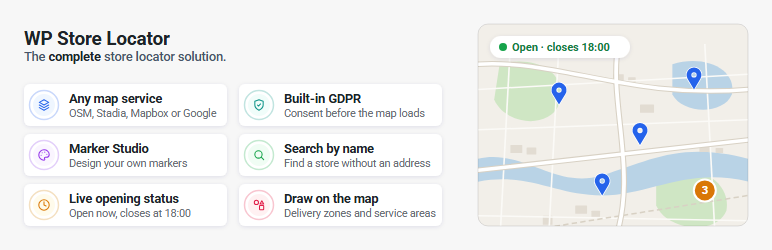

# WP Store Locator
By [Tijmen Smit](https://profiles.wordpress.org/tijmensmit/)
[Download](https://downloads.wordpress.org/plugin/wp-store-locator.3.0.3.zip)
* [Details](https://arg.wordpress.org/plugins/wp-store-locator/#description)
* [Reviews](https://arg.wordpress.org/plugins/wp-store-locator/#reviews)
* [Installation](https://arg.wordpress.org/plugins/wp-store-locator/#installation)
* [Development](https://arg.wordpress.org/plugins/wp-store-locator/#developers)
[Support](https://wordpress.org/support/plugin/wp-store-locator/)
## Description
**WP Store Locator** helps your customers find your nearest store, dealer, branch,
clinic or office. Add unlimited locations, drop the `[wpsl]` shortcode or block
on a page, and visitors can search by address, postcode, city or their current position,
filter by category and get directions.
#### Why WP Store Locator 3
* **Works without Google Maps.** Run the entire store locator on OpenStreetMap
with no API key, no Google account and no credit card. Prefer Google Maps, Mapbox
or Stadia Maps? Pick it from a dropdown. Your locations, settings and add-ons
work with every provider.
* **No code needed for custom data.** The Fields Manager adds your own fields to
the store editor and the Section Editor places them in the results, the info
window or anywhere else on the front end.
* **Design your own markers.** The Marker Studio lets you create marker icons that
match your brand instead of picking from a fixed set.
* **Draw on the map.** Polygons, circles, rectangles and lines for service areas,
delivery zones or sales territories.
* **A modern theme and an appearance editor.** A new vertical layout, plus colours,
call-to-action buttons and map styles you can change without touching CSS.
* **Privacy built in.** Hold the map back until the visitor consents, with your
own text, or hand the decision to Borlabs Cookie or Complianz.
* **Faster.** Location data is loaded in a single batch and settings in a single
query, so a locator with hundreds of locations stays quick.
#### 🗺️ Pick your map service
WP Store Locator is the only store locator you need, whichever map provider you
choose:
* **OpenStreetMap (Leaflet)**: Free. No API key. Optional free vector styles from
OpenFreeMap, and inline routes with a free Openrouteservice key.
* **Stadia Maps**: Ten polished map styles, its own geocoder and routing, and an**
EU endpoints** switch that keeps all requests inside the European Union.
* **Mapbox**: Design a map in Mapbox Studio, paste the style URL and the locator
uses it. Ten styles ship out of the box, including satellite and navigation.
* **Google Maps**: Full support, now on the current Geocoding and Routes APIs,
with Advanced Markers, cluster styling and the new Autocomplete Data API.
Switching provider is a single setting. Nothing needs to be re-entered or re-geocoded.
#### 🔍 Search that finds the right store
* Search by address, postcode, city, state or country, or by store name.
* Autocomplete as the visitor types.
* Detect the visitor’s location automatically, on page load or after they click
the locate button.
* Radius, max results and category filters, as dropdowns or checkboxes.
* Combine categories with AND or OR logic, or pre-select a default category.
* Hide the address search and show only the category filter to turn the locator
into a browsable directory.
* Sort by distance, name, address, city, postcode, state, country or ID, ascending
or descending.
* Search for a whole country or state and get every location in it.
* No results in range? Show the nearest location anyway, however far.
* Keep results inside the searched country, so a border town does not return stores
across the border.
* Show the number of results returned.
* Bias or restrict results to up to 15 countries.
#### 📍 Unlimited locations with rich details
* Address, phone, fax, email, URL, description, featured image and categories for
every location.
* Structured opening hours with a live **Open now / Closed** badge, expandable
to the full week.
* Custom hours text and a “special hours” field for holidays.
* Mark a store permanently or temporarily closed, with an automatic reopen date.
* Your own fields of any type: text, textarea, email, phone, URL, checkbox or dropdown,
grouped the way you want them in the editor.
* Drag the marker to the exact spot, or type coordinates in by hand.
* A landing page for every location with clean URLs, so search engines and customers
can link straight to a store.
* Admin search by name, postcode, city, state or country, and sortable custom columns.
#### 🎨 Make it look like your site
* Vertical or horizontal layout, with results beside or below the map.
* Appearance editor for colours, dimensions, call-to-action buttons and active
map styles.
* Marker Studio for custom markers, plus per-category markers and a distinct active
marker.
* Numbered or lettered markers that match the results list.
* Marker clusters on every provider, with styled and colour-interpolated clusters
on Google Maps.
* Section Editor to change the markup of the results list, info window, result
count and online stores sections.
* Open the info window on hover or by clicking the address in the results.
* Every label and placeholder is editable, and any label can be hidden without
losing the field.
* Improved accessibility, keyboard navigation and RTL support.
#### 🔒 Privacy and GDPR
* Built-in consent placeholder with your own description text. No extra plugin
required.
* Integrations with **Borlabs Cookie** and **Complianz**.
* Server-side geocoding on OpenStreetMap.
* EU-only endpoints on Stadia Maps.
#### 🧩 Blocks and shortcodes
* **Store Locator** and **Map** blocks for the block editor.
* `[wpsl]` for the full locator, with attributes for categories, filters, map style,
markers, shapes, region and distance unit.
* `[wpsl_map]` for a map with one or more locations.
* `[wpsl_address]` and `[wpsl_hours]` to show the address, contact details or opening
hours of a single location anywhere.
#### ⚙️ Built for site owners and developers
* Onboarding wizard for new installs, and automatic migration of 2.x settings.
* Home screen with a setup checklist and alerts for compatibility problems, missing
keys or API errors.
* API key validation with the raw response shown, so key restrictions and billing
problems are diagnosed in seconds.
* Import and export settings, reset data, clear caches and inspect geocode responses
from the Tools section.
* Custom post types and taxonomies, more than 50 filters, template overrides and
a helper to build your own custom-field filters.
* Compatible with WPML and Polylang.
#### 🏬 Made for every business with locations
Retail chains, dealer networks, franchises, bank branches, clinics and pharmacies,
restaurants, gyms, real estate offices, schools, stockists and service centres.
If people need to find you, WP Store Locator gets them there.
#### 🚀 How it works
1. Install and activate the plugin.
2. Follow the onboarding wizard: choose a map service, add a key if the service needs
one, and set a start location.
3. Add your locations under **Store Locator > Add Store**, or import them with the
[CSV Manager](https://wpstorelocator.co/add-ons/csv-manager/) from the Add-on Bundle.
4. Add the **Store Locator** block or the `[wpsl]` shortcode to a page.
#### 🎁 Add-on Bundle: pay once, own forever
Get every premium add-on in one [Add-on Bundle](https://wpstorelocator.co/bundles/).
You pay once with no yearly subscription, and you get lifetime updates.
* **[CSV Manager](https://wpstorelocator.co/add-ons/csv-manager/)**: Bulk import,
export and update locations from a CSV file.
* **[Search Widget](https://wpstorelocator.co/add-ons/search-widget/)**: Let visitors
search for the nearest store from any widget area and land on the results page.
* **[Statistics](https://wpstorelocator.co/add-ons/statistics/)**: See what people
search for and where there is demand for a new location.
Every bundle includes:
* Lifetime updates
* 12 months of technical support
* A free upgrade to WP Store Locator Pro when it launches
* A 30-day money-back guarantee
Bundles are available for 1, 5 or 20 sites. [Compare the bundles](https://wpstorelocator.co/bundles/).
3.0 requires version 2.0 or later of each add-on.
#### 📚 Documentation and support
> Please take a look at the [documentation](https://wpstorelocator.co/documentation/)
> before making a support request.
* [Getting Started](https://wpstorelocator.co/documentation/getting-started/)
* [Configure WP Store Locator](https://wpstorelocator.co/document/configure-wp-store-locator/)
* [Shortcodes](https://wpstorelocator.co/document/shortcodes/)
* [Troubleshooting](https://wpstorelocator.co/documentation/troubleshooting/)
* [Customisations](https://wpstorelocator.co/documentation/customisations/)
* [Filters](https://wpstorelocator.co/documentation/filters/)
## Screenshots
[⌊Pick the default, horizontal or vertical layout⌉⌊Pick the default, horizontal
or vertical layout⌉[
Pick the default, horizontal or vertical layout
[⌊The API settings, run the map on OpenStreetMap, Mapbox, Stadia Maps or Google
Maps⌉⌊The API settings, run the map on OpenStreetMap, Mapbox, Stadia Maps or Google
Maps⌉[
The API settings, run the map on OpenStreetMap, Mapbox, Stadia Maps or Google Maps
[⌊The Fields Manager, add your own fields to the stores⌉⌊The Fields Manager, add
your own fields to the stores⌉[
The Fields Manager, add your own fields to the stores
[⌊The Local Pages settings for the store landing pages and their permalinks⌉⌊The
Local Pages settings for the store landing pages and their permalinks⌉[
The Local Pages settings for the store landing pages and their permalinks
[⌊The GDPR settings, ask visitors for consent before the map loads⌉⌊The GDPR settings,
ask visitors for consent before the map loads⌉[
The GDPR settings, ask visitors for consent before the map loads
[⌊The Section Editor, change the template that renders the store listings⌉⌊The Section
Editor, change the template that renders the store listings⌉[
The Section Editor, change the template that renders the store listings
[⌊The customizer, with a live preview of the store locator⌉⌊The customizer, with
a live preview of the store locator⌉[
The customizer, with a live preview of the store locator
[⌊The map style settings, with a dark Mapbox style applied⌉⌊The map style settings,
with a dark Mapbox style applied⌉[
The map style settings, with a dark Mapbox style applied
[⌊Restyle the search form⌉⌊Restyle the search form⌉[
Restyle the search form
[⌊Restyle the buttons⌉⌊Restyle the buttons⌉[
Restyle the buttons
[⌊Restyle the search results⌉⌊Restyle the search results⌉[
Restyle the search results
[⌊The Marker Studio, design your own markers from 586 icons⌉⌊The Marker Studio,
design your own markers from 586 icons⌉[
The Marker Studio, design your own markers from 586 icons
[⌊Map Shapes, draw circles, rectangles and polygons on the map⌉⌊Map Shapes, draw
circles, rectangles and polygons on the map⌉[
Map Shapes, draw circles, rectangles and polygons on the map
## Blocks
This plugin provides 2 blocks.
* Store Locator Display a WP Store Locator map with search functionality.
* Map Display a WP Store Locator map for specific store locations by ID or category.
## Installation
1. Upload the `wp-store-locator` folder to the `/wp-content/plugins/` directory, or
install it from the Plugins screen.
2. Activate the plugin through the ‘Plugins’ menu in WordPress.
3. Run through the onboarding wizard. Choose a map service under **Store Locator >
Settings > API**. OpenStreetMap needs no key. For [Google Maps](https://wpstorelocator.co/document/create-google-api-keys/),
[Mapbox](https://wpstorelocator.co/document/create-mapbox-api-key/) or [Stadia Maps](https://wpstorelocator.co/document/create-a-stadia-maps-api-key/),
enter the key and click **Validate API key**.
4. Set the start location under **Store Locator > Settings > Map**.
5. Add your stores under **Store Locator > Add Store**.
6. Add the **Store Locator** block or the `[wpsl]` shortcode to a page.
## FAQ
### Do I need a Google Maps API key?
No. Choose **OpenStreetMap (Leaflet)** as the map service and the store locator
runs without any API key. A key is only needed for Google Maps, Mapbox and Stadia
Maps, or if you want routes drawn on the map with OpenStreetMap (free Openrouteservice
key).
### Can I switch map providers later?
Yes. The map service is a single setting under **Store Locator > Settings > API**.
Your locations, coordinates, categories, custom fields, markers and settings stay
the same.
### How do I add the store locator to a page?
Add the **Store Locator** block, or the [shortcode](https://wpstorelocator.co/document/shortcodes/)`[
wpsl]`, to the page where you want to display the store locator.
### Can I add my own fields to the locations?
Yes. Go to **Store Locator > Settings > Fields Manager**, create a group and add
your fields. Then use the [Section Editor](https://wpstorelocator.co/document/add-custom-fields-to-store-locations/#generate-template-code)
to place them in the results list or info window. It can generate the template code
for you, so no coding is required.
### Can I use different markers for categories or individual locations?
Yes. Design markers in the **Marker Studio**, then assign them to categories or
to single locations. You can also set a separate marker for the active location.
### I upgraded from 2.x. Where did my settings go?
They were migrated automatically. Some sections moved: Google Maps API is now **
API**, Permalink is now **Local Pages**, and sizing, templates and map styling moved
to the **Appearance** page. If the migration did not complete, use **Retry migration**
under **Store Locator > Settings > Tools**.
### My add-ons were disabled after updating to 3.0
3.0 requires version 2.0 or later of the CSV Manager, Statistics and Search Widget
add-ons. Older versions are disabled automatically until you update them.
### Oops! Something went wrong
This is a Google Maps error. Set a valid [browser key](https://wpstorelocator.co/document/create-google-api-keys/)
under **Store Locator > Settings > API** and click **Validate API key** to see the
exact reason Google returns.
### There are weird characters in the search results, how do I remove them?
This is most likely caused by a caching plugin that minifies the HTML output on
the store locator page. Exclude the store locator page from minification in the
settings of your caching plugin.
### The map doesn’t display properly. It’s either broken in half or doesn’t load at all.
Make sure you have defined a start location under **Store Locator > Settings > Map**.
If the locator looks broken after upgrading to 3.0, try **Disable v3 theme rules**
under **Settings > Tools**.
### The map doesn’t work anymore after installing the latest update
If you use a caching plugin, or a service like Cloudflare, then make sure to flush
the cache.
### Directions stopped working after updating to 3.0
Version 3.0 requests Google Maps directions through the [Routes API](https://console.cloud.google.com/apis/library/routes.googleapis.com)
instead of the legacy [Directions API](https://developers.google.com/maps/documentation/directions)
that version 2 used. It is a separate product in your Google Cloud project, so open
the Routes API page, select the project that holds your API keys and click **Enable**.
If the browser key has API restrictions, also add the Routes API to the allowed
APIs under [Credentials](https://console.cloud.google.com/apis/credentials). Until
then the map keeps working, but clicking **Directions** shows a notice instead of
the route.
### Why does it show the location I searched for in the wrong country?
Some location names exist in more than one country. Set the correct **Bias country**
under **Store Locator > Settings > API**, or restrict results to specific countries.
### The store locator doesn’t load, it only shows the number 1?
This is most likely caused by your theme using ajax navigation ( the loading of
content without reloading the page ), or a conflict with another plugin. Try to
disable the ajax navigation in the theme settings, or deactivate plugins one by
one to find the conflict.
If you find a plugin or theme that causes a conflict, please report it on the [support page](https://wordpress.org/support/plugin/wp-store-locator).
### Where do I report security bugs found in this plugin?
Please report security bugs found in the source code of the WP Store Locator plugin
through the [Patchstack Vulnerability Disclosure Program](https://patchstack.com/database/vdp/dd3fdc38-66c5-4e80-ae86-96da0e63f2ba).
The Patchstack team will assist you with verification, CVE assignment, and notify
the developers of this plugin.
> You can find the full documentation [here](https://wpstorelocator.co/documentation/).
## Reviews

### [Has filters](https://wordpress.org/support/topic/has-filters/)
[jatkuvatkoostood](https://profiles.wordpress.org/jatkuvatkoostood/) chunyo 29,
2026
Like others before me say: good support and great plugin. Thanks!

### [Switched from Agile](https://wordpress.org/support/topic/switched-from-agile/)
[Chris](https://profiles.wordpress.org/marketeerland/) febrero 21, 2026
Love this plugin, and love it's simplistic approach. Easy to setup and get locations
quickly listed and published. Switched to this one after using Agile Store Locator,
which is so complicated that I hated updating it and could train anyone else to
manage it.

### [Perfect](https://wordpress.org/support/topic/perfect-10872/)
[Milimo Emmanuel](https://profiles.wordpress.org/manuell/) noviembre 12, 2025
Got all I needed.

### [Amazing Plugin and Great Support!](https://wordpress.org/support/topic/amazing-plugin-and-great-support-33/)
[praybould](https://profiles.wordpress.org/praybould/) octubre 31, 2025
I've used this plugin on 2 commercial sites and it is rock solid. When my client
wanted to use this as a way to add cities with customers, but didn't want to specify
who they were or their street address. So the Directions link didn't work. I received
multiple custom snippets of code to get it right. Thank you Farroyo!

### [Default styling is poor](https://wordpress.org/support/topic/default-styling-is-poor/)
[technicalx](https://profiles.wordpress.org/technicalx/) setiembre 3, 2025 1 reply
It works well, but the default styling is bad. Fixed with labels, weird height input
field, forced colour button text – nope, just use default html and let the theme
handle it.

### [Best store locator / map out there! Stellar support!](https://wordpress.org/support/topic/best-store-locator-map-out-there-stellar-support/)
[mpeg5](https://profiles.wordpress.org/mpeg5/) chulio 14, 2025
Not only is this super easy to set up and the CSV extension works like a charm,
the support is awesome. I had to style a few things and I was provided with a top
tier solution. And the kicker: They could charge quite some money for this. But
it`s so reasonable that it is almost unreal.
[ Read all 312 reviews ](https://wordpress.org/support/plugin/wp-store-locator/reviews/)
## Contributors & Developers
“WP Store Locator” is open source software. The following people have contributed
to this plugin.
Contributors
* [ Tijmen Smit ](https://profiles.wordpress.org/tijmensmit/)
“WP Store Locator” has been translated into 19 locales. Thank you to [the translators](https://translate.wordpress.org/projects/wp-plugins/wp-store-locator/contributors)
for their contributions.
[Translate “WP Store Locator” into your language.](https://translate.wordpress.org/projects/wp-plugins/wp-store-locator)
### Interested in development?
[Browse the code](https://plugins.trac.wordpress.org/browser/wp-store-locator/),
check out the [SVN repository](https://plugins.svn.wordpress.org/wp-store-locator/),
or subscribe to the [development log](https://plugins.trac.wordpress.org/log/wp-store-locator/)
by [RSS](https://plugins.trac.wordpress.org/log/wp-store-locator/?limit=100&mode=stop_on_copy&format=rss).
## Changelog
#### 3.0.3 2026-09-25
Changed
* Added a content hash to lazy-loaded JS modules to prevent browsers, hosts
or CDNs from serving an older copy and breaking the map or settings page.
#### 3.0.2 2026-09-24
Fixed
* Fatal error “Service not found: plugin_alerts” on admin and AJAX requests
when another plugin, such as MainWP Child, logs the user in during `init`.
#### 3.0.1 2026-09-24
Fixed
* Prevent a fatal error by checking that `is_plugin_active` is available
before calling it. * `wpsl_create_meta_filter()` now calls the correct service. *
The Dimensions tab now shows the height fields of the active template. * Results
list no longer overflows its container with a custom height, plus other styling
fixes. * Custom CSS for the v2 dropdowns and search button overrides the v3 styles
again. * The radius and results dropdowns no longer disappear when “Only show the
category filter?” was saved after the category filter was disabled. * Custom v2
code reading the height from `$wpsl_settings` now gets the active template’s height,
instead of always 450. * After upgrading from v2, an alert explains why the Google
Maps server key check failed, and the Home step reads “Fix your Google Maps API
key”. * Clearer instructions when Google blocks the server key due to IP/API restrictions
or a disabled Geocoding API. * The v2 “Hide the scrollbar?” option is back as “Show
all results” in the horizontal template’s Results height setting (Appearance Dimensions).*
Theme CSS for multi-column search results works again; a single column renders as
a normal list, as in v2. * The Appearance preview now resizes the category dropdown
to match search field width changes.
Changed
* Optimized the responsive CSS. * The vertical template’s search field
and filters use the search results’ font size instead of the theme’s body size (
theme CSS can still override it). * With “Overwrite theme styles” off, theme colors
take priority over plugin defaults again, as in 2.x. * With 2-3 result columns,
the column count now follows the results list width, staying at least 260px wide
per column.
#### 3.0 2026-09-21
New
* Added support for Mapbox, Stadia and OpenStreetMap (Leaflet) * A new modern
theme * Support for name searches * Create your own markers in the Marker Studio*
Draw polygons, circles, rectangles and lines on the map * Fields manager that allows
you to manage custom data fields * Appearance editor that allows you to customize
the theme / CTA buttons / active map styles (custom colors, icons, etc.) * Template
section editor that allows you to customize the code of different template sections*
Show the current open / closed status * Make the current opening status expandable*
Select different template locations where the contact details, opening hours and
post content are displayed * Option to select an active store marker * Option to
set a category marker * New cluster marker styles for Google Maps * Added the option
to show the number of returned results * Option to define the search results order(
ascending / descending) and sort by (address / id / distance / city / state / country)*
Optionally only show the category filter * Default category filter selection * If
the search input is a country or state, then return all results * If no results
are found, then show the nearest location ignoring the used search radius * Option
to exclude locations from nearby countries in the search results (a search for a
border town no longer shows locations across the border, even if they fall inside
the search radius) * Select the returned geolocation address format (zip, city/town,
full address) * Choose to run the geolocation attempt on page load or when the user
clicks the auto-locate button * Set the placeholder for the search field * Option
to open the info window by hovering over the corresponding marker * Clicking on
the address details in the search results opens the info window on the map * Option
to set a store permanently or temporarily closed (optionally automatically reopen)*
Option to set the opening hours to a custom text, and a “special hours” input field*
Built-in GDPR support * An Alerts section on the settings page that shows compatibility
warnings and other relevant messages * Data management tool that allows you to delete
all locations / categories and reset the plugin to default settings * Import / export
settings tool * When “Add New Store” is clicked and no valid API key exists for
Google Maps or Mapbox, a warning is shown that an API key is required, unless the
coordinates are entered manually * New shortcode options for [wpsl]: ‘exclude_category’,‘
category_parent_id’, ‘category_filter’, ‘radius_filter’, ‘results_filter’, ‘map_style’,‘
map_id’, ‘active_marker’, ‘marker_clusters’, ‘shapes’, ‘city’, ‘state’, ‘country’
and ‘distance_unit’ * New shortcode options for [wpsl_map]: ‘map_id’, ‘store_marker’,‘
active_marker’, ‘marker_clusters’, ‘shapes’, ‘city’, ‘state’ and ‘country’ * New‘
current_status’ and ‘expand_status’ attributes for the [wpsl_hours] shortcode, so
the open / closed status and its expandable week can be set per shortcode instead
of only globally * New ‘contact_details’ attribute for the [wpsl_address] shortcode.
Shows or hides the Phone/Fax/Email/Url block in one go, so a single shortcode can
disagree with the contact details location setting without needing four attributes.
The individual ‘phone’, ‘fax’, ‘email’ and ‘url’ attributes still win where they
are named. * New ‘bold_contact_details’ attribute for the [wpsl_address] shortcode.
Wraps the Phone/Fax/Email/Url labels in `` (default true) so single store
pages match the search results list. Set to false to restore the v2 unbolded output,
or override via the ‘wpsl_address_shortcode_defaults’ filter. * Added per-label
show/hide toggles for the search-bar labels, so you can hide a label on the front-
end without losing its text or the field itself. * A wpsl_create_meta_filter() function
allowing developers to create custom dropdowns / checkbox lists based on the passed
custom meta key. * A ‘wpsl_sortable_columns’ filter to make custom columns sortable
in the admin area * A ‘wpsl_skip_required_check’ filter to disable all required
checks * A ‘wpsl_force_direction_coordinates’ filter to use the coordinates instead
of the address details as the destination in the Google Maps direction links
Changed
* Modernized the decade-old codebase * Migrated to v4 of the Google Geocoding
API * Migrated from the DirectionsService to the new Google [Routes API](https://console.cloud.google.com/apis/library/routes.googleapis.com),
which has to be enabled in your Google Cloud project * New users now go through
an onboarding process * Overall improved accessibility / keyboard navigation * Improved
support for RTL languages * The data for the returned locations is now loaded in
a single batch instead of one location at a time. The post data, custom fields,
categories and featured images are all primed up front, which keeps the number of
database queries flat when the search results or a [wpsl_map] contain many locations.*
The settings are read in one query per request instead of one per option group,
and only the two groups needed on every page load are autoloaded. * The CSV Manager,
Statistics and Search Widget add-ons require version 2.0 or later. Older versions
are automatically disabled until you update them. * The new vertical theme’s store
locator container defaults to 450px high * The default markers are now SVG files
instead of PNG. PNG is still supported. * Extended the admin search with support
for zip, city, state and country searches * Google Maps API key related errors are
captured and shown to the user, explaining how to fix them * Check for the partial
match param in the Geocode API response for Google Maps, and warn the user if this
happens * Renamed the “below_map” (Show the store list below the map) template to“
horizontal” * The ‘more info’ section now always shows when it’s enabled, so it’s
no longer required to have contact details filled out * The start day of the week
for the hours respects the WordPress settings * If the label tag is left empty on
the settings page, then don’t render the label tag in the search bar * Set the correct
alt text on the preload image * The tabs in the admin area fail gracefully, so they
remain accessible if a JS error occurs * The shortcode warning that shows up when
it’s used outside of a store page is now only shown to logged-in users * Make the
directions use the start / location markers instead of the default ones * If the
auto location option is enabled but no SSL is available, the exclamation mark next
to it appears red, with popup text explaining the issue * The ‘zoom_controls’ attribute
was removed from the [wpsl_map] shortcode. Zoom controls now follow the map provider’s
default behaviour. * The ‘phone’, ‘fax’, ‘email’ and ‘url’ attributes of the [wpsl_address]
shortcode now follow the contact details location setting, instead of always being
enabled. * Removed support for the InfoBox library to style the pop-ups (no updates
for many years). Popups are now styled according to the map provider’s default styles.
## Meta
* Version **3.0.3**
* Last updated **4 días ago**
* Active installations **40.000+**
* WordPress version ** 5.7 or higher **
* Tested up to **7.1.2**
* PHP version ** 7.4 or higher **
* Languages
* [Azerbaijani](https://az.wordpress.org/plugins/wp-store-locator/), [Catalan](https://ca.wordpress.org/plugins/wp-store-locator/),
[Dutch](https://nl.wordpress.org/plugins/wp-store-locator/), [English (Australia)](https://en-au.wordpress.org/plugins/wp-store-locator/),
[English (New Zealand)](https://en-nz.wordpress.org/plugins/wp-store-locator/),
[English (US)](https://wordpress.org/plugins/wp-store-locator/), [French (Canada)](https://fr-ca.wordpress.org/plugins/wp-store-locator/),
[French (France)](https://fr.wordpress.org/plugins/wp-store-locator/), [German](https://de.wordpress.org/plugins/wp-store-locator/),
[Italian](https://it.wordpress.org/plugins/wp-store-locator/), [Japanese](https://ja.wordpress.org/plugins/wp-store-locator/),
[Persian](https://fa.wordpress.org/plugins/wp-store-locator/), [Portuguese (Brazil)](https://br.wordpress.org/plugins/wp-store-locator/),
[Portuguese (Portugal)](https://pt.wordpress.org/plugins/wp-store-locator/),
[Russian](https://ru.wordpress.org/plugins/wp-store-locator/), [Spanish (Argentina)](https://es-ar.wordpress.org/plugins/wp-store-locator/),
[Spanish (Chile)](https://cl.wordpress.org/plugins/wp-store-locator/), [Spanish (Spain)](https://es.wordpress.org/plugins/wp-store-locator/),
[Swedish](https://sv.wordpress.org/plugins/wp-store-locator/) y [Ukrainian](https://uk.wordpress.org/plugins/wp-store-locator/).
* [Translate into your language](https://translate.wordpress.org/projects/wp-plugins/wp-store-locator)
* Tags
* [dealer locator](https://arg.wordpress.org/plugins/tags/dealer-locator/)[Google Maps](https://arg.wordpress.org/plugins/tags/google-maps/)
[openstreetmap](https://arg.wordpress.org/plugins/tags/openstreetmap/)[store finder](https://arg.wordpress.org/plugins/tags/store-finder/)
[Store locator](https://arg.wordpress.org/plugins/tags/store-locator/)
* [Advanced View](https://arg.wordpress.org/plugins/wp-store-locator/advanced/)
## Ratings
4.8 out of 5 stars.
* [ 289 5-star reviews ](https://wordpress.org/support/plugin/wp-store-locator/reviews/?filter=5)
* [ 9 4-star reviews ](https://wordpress.org/support/plugin/wp-store-locator/reviews/?filter=4)
* [ 3 3-star reviews ](https://wordpress.org/support/plugin/wp-store-locator/reviews/?filter=3)
* [ 3 2-star reviews ](https://wordpress.org/support/plugin/wp-store-locator/reviews/?filter=2)
* [ 8 1-star reviews ](https://wordpress.org/support/plugin/wp-store-locator/reviews/?filter=1)
[Your review](https://wordpress.org/support/plugin/wp-store-locator/reviews/#new-post)
[See all reviews](https://wordpress.org/support/plugin/wp-store-locator/reviews/)
## Contributors
* [ Tijmen Smit ](https://profiles.wordpress.org/tijmensmit/)
## Support
Issues resolved in last two months:
9 out of 15
[View support forum](https://wordpress.org/support/plugin/wp-store-locator/)