

Description
AI Log Analyzer for WooCommerce integrates directly with the WooCommerce log management UI to help store owners understand and resolve log file issues without needing developer assistance.
Features:
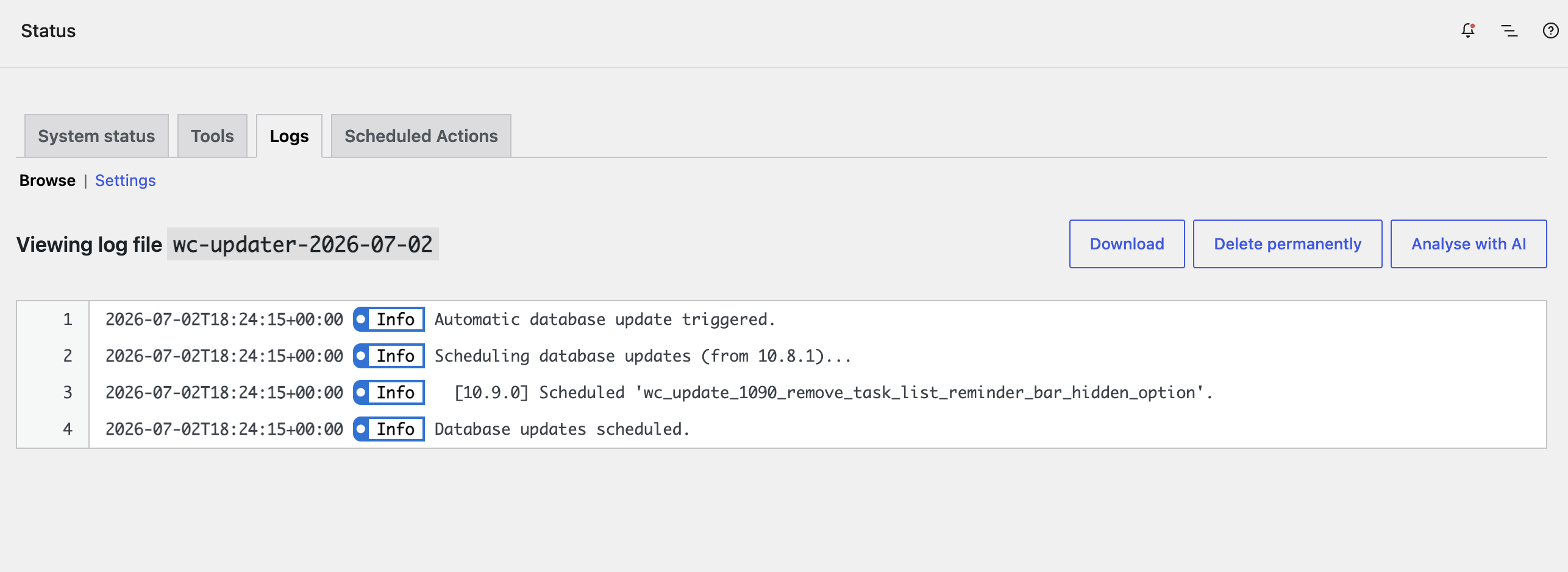
- Analyze any WooCommerce log file with a single click.
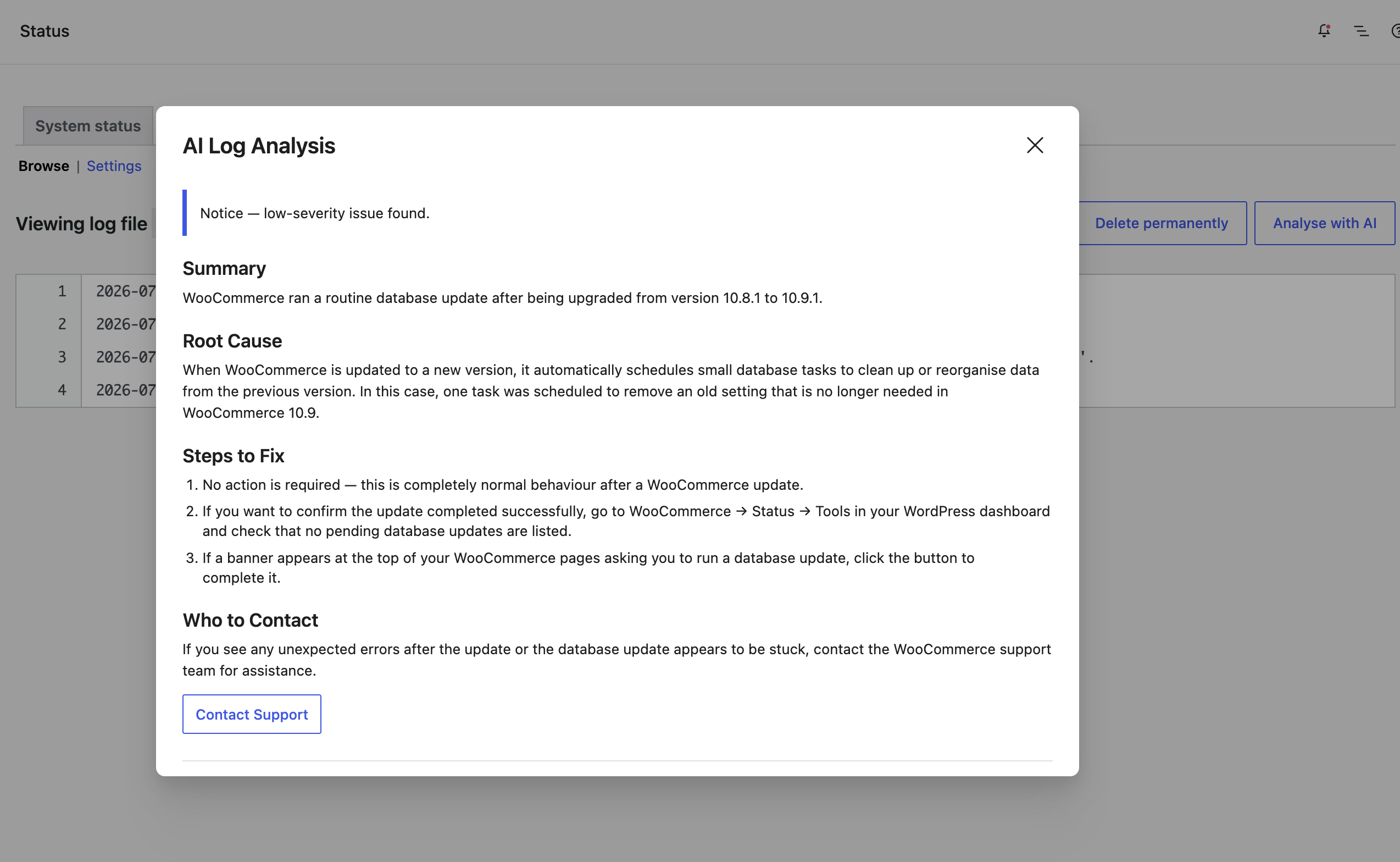
- Receive plain-English summaries of errors with step-by-step fix instructions.
- Automatically identify which plugin or theme is responsible for each error.
- Download a formatted diagnostic report to share with plugin support teams.
- Supports all WooCommerce log handlers: FileV2, Legacy File, and Database.
Requirements:
- WordPress 7.0 or higher (WordPress AI Client required)
- WooCommerce
- PHP 8.0 or higher
- An AI provider configured in Settings › Connectors (Anthropic, Google, or OpenAI)
External Services
This plugin sends WooCommerce log file content to a third-party AI provider for analysis. This happens only when a logged-in user with the appropriate capability clicks the “Analyse with AI” button on a WooCommerce log file.
Requests are made through the WordPress AI Connectors API (introduced in WordPress 7.0). The specific provider used depends on which connector the site administrator has configured in Settings › Connectors. The following providers are currently supported:
Anthropic (Claude)
Log content is sent to Anthropic’s API to generate a plain-English analysis of the log file.
– Anthropic Terms of Service
– Anthropic Privacy Policy
Google (Gemini)
Log content is sent to Google’s Gemini API to generate a plain-English analysis of the log file.
– Google Terms of Service
– Google Privacy Policy
OpenAI (GPT)
Log content is sent to OpenAI’s API to generate a plain-English analysis of the log file.
– OpenAI Terms of Service
– OpenAI Privacy Policy
What data is sent: The contents of the selected WooCommerce log file, along with site context (WordPress version, WooCommerce version, PHP version, active theme, and active plugin names). Before transmission, the plugin automatically strips common patterns of sensitive data including API keys, passwords, auth tokens, email addresses, HTTP Authorization headers, DSN credentials, and PEM-encoded private keys.
When data is sent: Only when a user with the required capability explicitly clicks “Analyse with AI”. No data is sent automatically or in the background.
Data retention: This plugin does not store or cache log content. Retention of data submitted to the AI provider is governed by the respective provider’s privacy policy linked above.
Source Code
The full source code for this plugin, including all unminified JavaScript, is publicly available on GitHub:
Github: AI Log Analyzer for WooCommerce
The minified file build/analyze.js is compiled from src/analyze/index.js using @wordpress/scripts (webpack).
To build the assets yourself:
- Clone the repository:
git clone https://github.com/stuartduff/ai-log-analyzer-for-woocommerce.git - Install Node dependencies:
npm install - Build for production:
npm run build - Or watch for development:
npm run start
Screenshots
Installation
- Upload the
ai-log-analyzer-for-woocommercedirectory to/wp-content/plugins/. - Activate the plugin through Plugins › Installed Plugins.
- Go to Settings › Connectors and connect at least one AI provider (Anthropic, Google, or OpenAI).
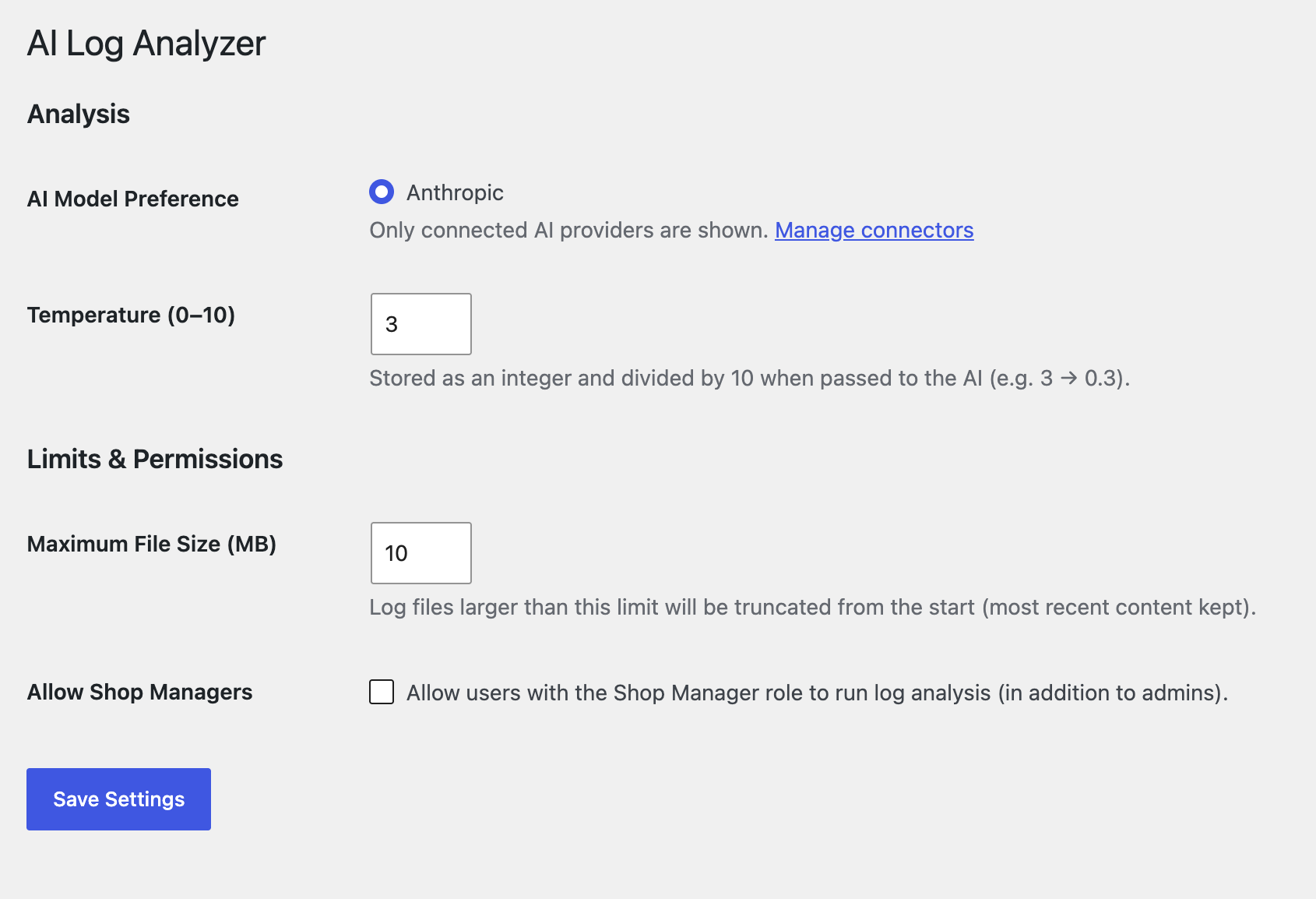
- Navigate to WooCommerce › AI Log Analyzer to configure analysis settings.
- Go to WooCommerce › Status › Logs, open any log file, and click Analyse with AI.
FAQ
-
Does this plugin send my log data to third-party services?
-
Log content is sent to the AI provider you have configured in Settings › Connectors. This plugin does not store or cache log content — data is transmitted for analysis and not retained.
Before transmission, common patterns of sensitive data are automatically stripped: API keys and secrets, passwords, auth tokens, email addresses, HTTP Authorization and X-API-Key headers, DSN connection-string credentials, and PEM-encoded private keys. Redaction covers key=value pairs, JSON fields, and prefixed key names (e.g.
db_password,stripe_secret).Note: Redaction is best-effort and pattern-based. Values appearing in plain prose without a recognisable key name (e.g.
"invalid key 'abc123'") and completely custom credential field names outside the known allowlist may not be caught. Review your logs before analysis if they may contain highly sensitive data. -
Which AI providers are supported?
-
Any provider configured in the WordPress Connectors API is supported: Anthropic (Claude), Google (Gemini), and OpenAI (GPT). The active provider is selected via the AI Model Preference setting; the WordPress AI Client (
wp_ai_client_prompt) handles the request. -
Can Shop Managers use the analyzer?
-
By default, administrators (users with
manage_options) and any user with bothmanage_woocommerceandprompt_aicapabilities can run analyses. Access for Shop Managers can be enabled under WooCommerce › AI Log Analyzer › Limits & Permissions. -
What happens if a log file is very large?
-
Log files larger than the configured maximum size (default 10 MB) are automatically truncated from the beginning, keeping the most recent entries which are most relevant for diagnosis.
Reviews
There are no reviews for this plugin.
Contributors & Developers
“AI Log Analyzer for WooCommerce” is open source software. The following people have contributed to this plugin.
Contributors
Translate “AI Log Analyzer for WooCommerce” into your language.
Interested in development?
Browse the code, check out the SVN repository, or subscribe to the development log by RSS.
Changelog
1.0.0
- Initial release.